Put your wedding layout on the real venue.
PdfOnMap drops your seating plan or venue layout onto the actual grounds — pin two matching points and it scales and rotates to fit — so couples and vendors see exactly where everything lands, in a link they just open.
Stop talking couples through a flat diagram. Drop the layout, pin two points, and the marquee, aisle, bar and tables settle onto the real lawn — in about a minute, no know-how needed.
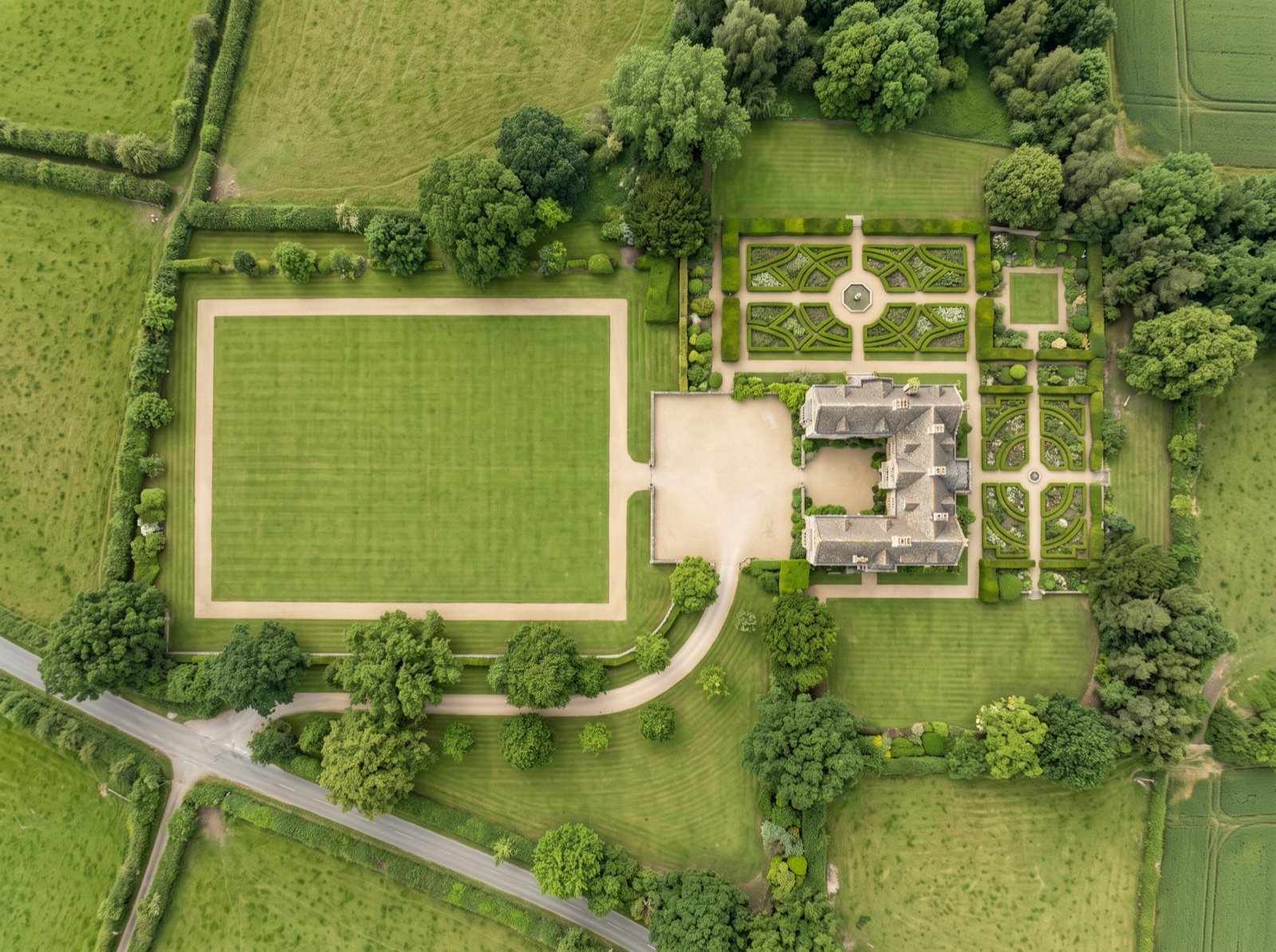
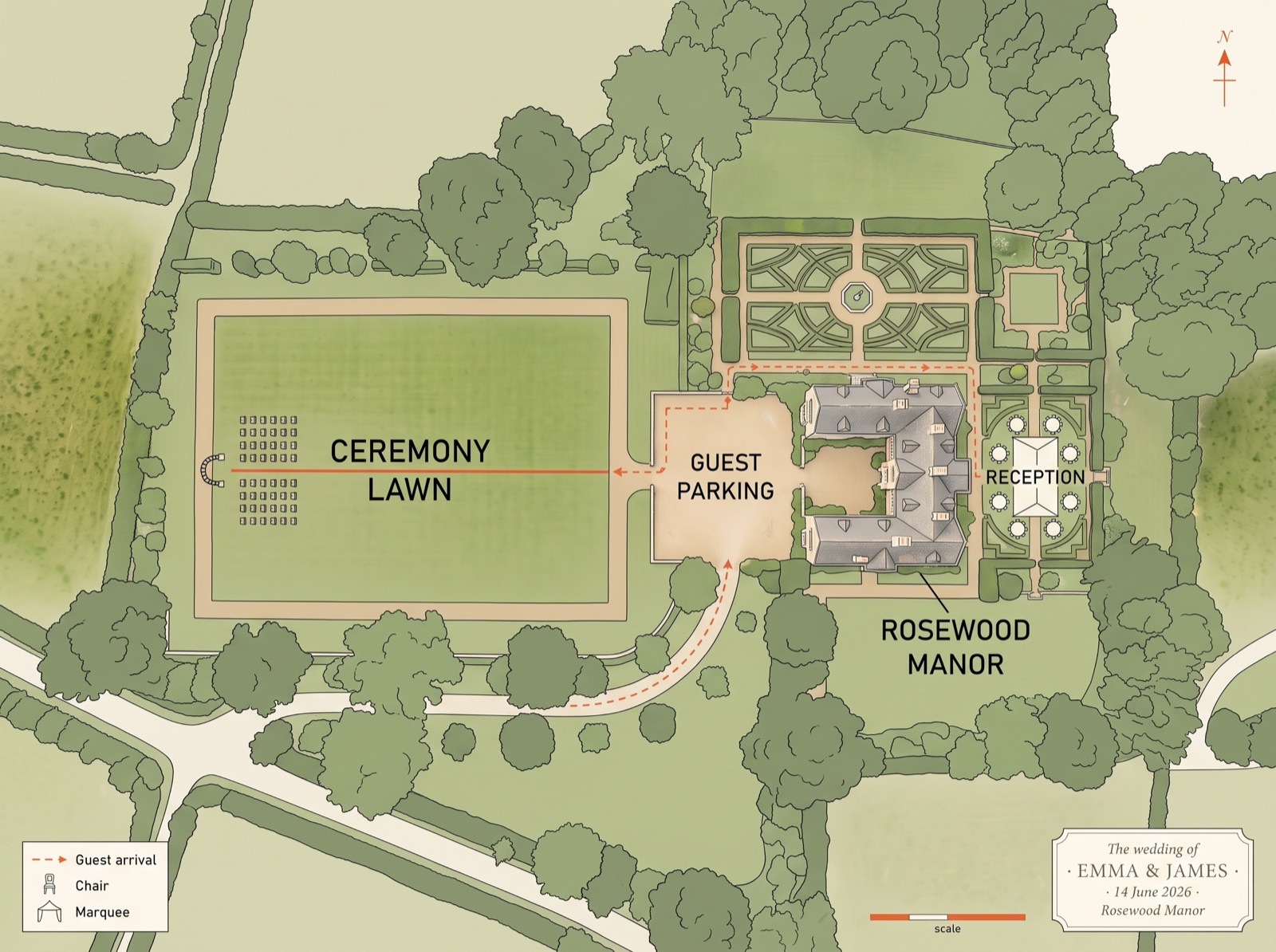
Why can't couples picture a flat layout?
A flat layout only tells half the story — the other half is where it actually sits on the venue. Couples squint at a diagram and can't feel the space; vendors place the bar or the aisle in the wrong spot on the day; and you redraw the same plan for every new venue. The gap is that the drawing isn't on the real grounds yet.
Squinting at a flat diagram, unsure it'll fit.
Seeing the whole day settle onto the real grounds and nodding along.
Put your plan on the real map in about a minute
Three steps: upload the drawing, pin two matching points, and share the link.
Upload
Drop in your seating plan or venue layout — PDF, PNG, JPG or WebP. A photo of a hand-drawn sketch works too.
Align
Pin two points you can find on both the layout and the map — say the ceremony arch and the far corner of the lawn. It scales and rotates to settle onto the grounds.
Share
Send a live link the couple and vendors just open — no login, no download. Fade between the plan and the grounds; stack ceremony and reception as layers.
How your plan lands on the grounds
Take the designed plan you already have, pin two matching points, and it settles onto the real venue — keeping every bit of its styling.
It turns a flat layout into a shared, real-world view
Everything couples and vendors need to actually understand the day — on the real grounds.
Settles onto the venue
Drop the layout, pin two points, and it lands on the real grounds at the right scale and rotation.
The fade reveal
Fade between plan and map so the couple finally sees their day, not a page.
One live link
Couples and vendors just open it — no login, no download, on any phone.
Stack layouts as layers
Ceremony vs. reception, toggled freely on the same grounds.
Guests find parking & the way in
Mark parking, drop-off and the entrance on the same shared map. Guests open the link and see where to park and which way to walk in — no "where do we go?" texts on the day.
Bring the whole team
On Team, a planning crew and vendors add on-map comments and roles — who edits, who just views.
Your plan, your brand — on the real grounds
Because it's your PDF on the map, all your styling comes with it — names, colours, monogram, the whole look. The shared map doesn't read like a technical diagram; it feels like the day. For a venue, that's your brand carried through the guest's whole experience — from the save-the-date to the walk across the lawn.
Good to know
Are my couples going to need an app or an account?+
No. You send a live link and they tap it — it opens in any phone or laptop browser, with no login and no download. That's the point of the shareable link: the couple and every vendor see the same layout on the real grounds without installing anything.
Is it accurate enough to trust for setup?+
Treat it as visualizing and coordinating placement, not exact measurement. Pin two points and it settles onto the grounds; add more points for a finer fit on an irregular site. For final setout on the day, your tapes and stakes still rule — this gets everyone to the right spot first.
I already use slides and photos — why is this different?+
Slides and photos stay flat. Here the layout sits on the real grounds, at the right scale and rotation, and everyone explores the same live view. Instead of describing where the marquee goes, you show it — on the actual lawn, in a link the couple can revisit any time.
Can I use the venue's PDF, or a hand-drawn layout?+
Both. Drop in a PDF from the venue or a photo of a hand-drawn sketch (PDF, PNG, JPG or WebP). Pin two matching points and it scales and rotates to settle onto the grounds — a rough or not-to-scale drawing still lines up well enough to plan and present from.
Can vendors and the couple see the same plan?+
Yes — one live link opens for everyone. For a planning crew and vendors who need to leave notes on the map and have roles (who edits vs. who just views), that's the Team plan; a solo planner sending couples a link is covered by Pro.
More ways to put a layout on the map
Drop your seating plan on the real lawn
…and watch the couple finally see their day.
Put your layout on the map →